
Warplet is a macOS app that lets hosted AI clients like ChatGPT, Claude, Perplexity, and Grok use the MCP servers running on your Mac. This guide walks you through the basics.
What Warplet does
Many great apps expose their functionality through a local MCP server: DEVONthink, Obsidian, NotePlan, Google Chrome, Beeper, and more. The catch is that these servers only listen on localhost, so cloud AI clients can't reach them.
Warplet bridges that gap:
- It opens a secure tunnel from the internet to the Warplet app on your Mac
- You get a permanent
*.warplet.appURL that AI clients can connect to - Every request is authenticated with a bearer token on your Mac before anything is forwarded to a local server
Getting started
-
Download Warplet from the Mac App Store.
-
Launch the app.
-
Click Start. Warplet provisions your personal
*.warplet.apphostname and opens the tunnel. -
Copy the URL of the MCP server you want to connect. This is the URL you paste into an AI client as a connector.
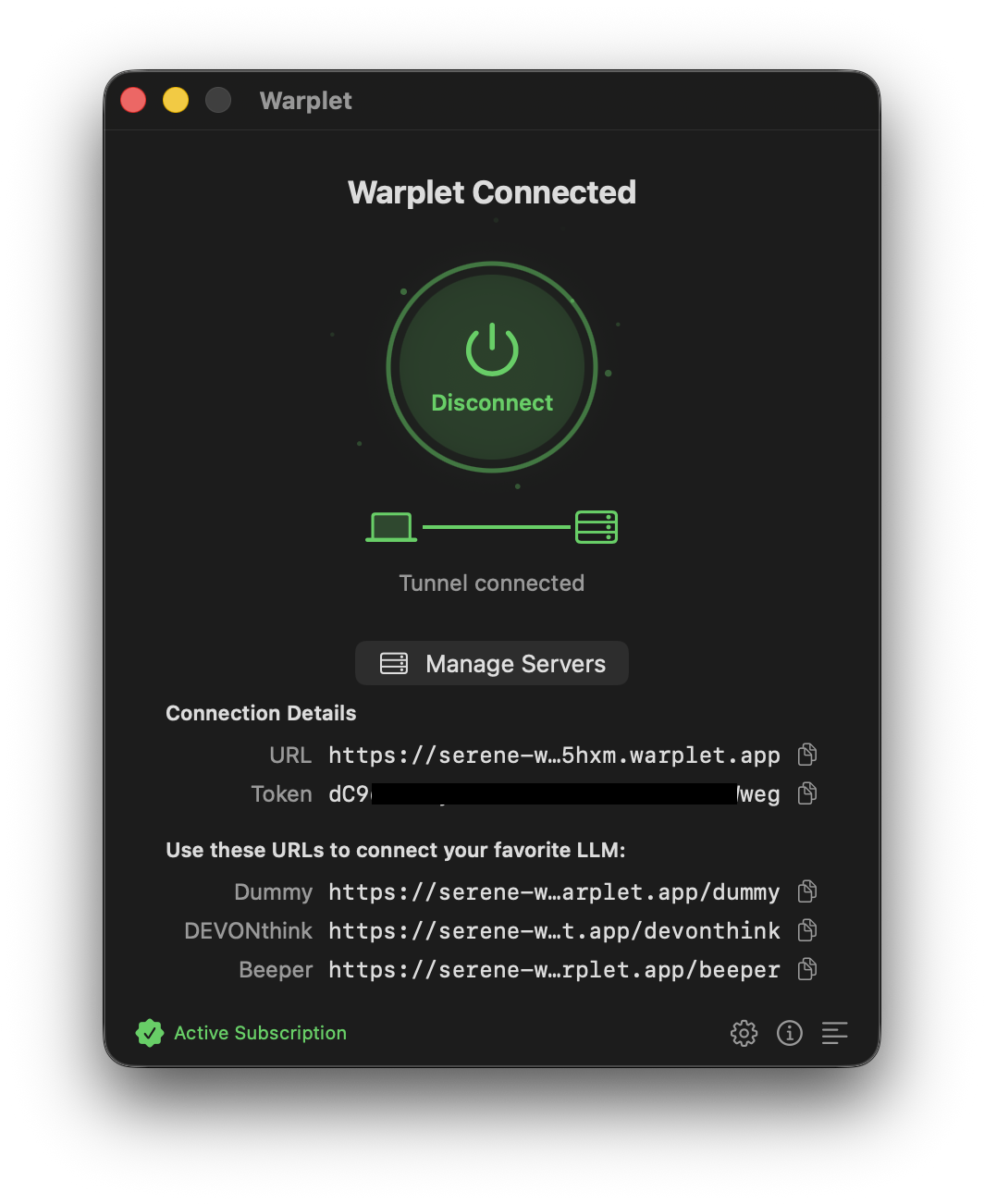
One URL per MCP server
Once connected, Warplet lists your URLs under Use these URLs to connect your favorite LLM. Each URL routes to a specific MCP server on your Mac: the DEVONthink URL routes to the DEVONthink MCP server, the Beeper URL routes to the Beeper MCP server, and so on.
That means you connect each app individually. If you want ChatGPT to use both DEVONthink and Beeper, add two connectors, one with each URL. Use Manage Servers in the app to control which MCP servers Warplet exposes.
Connecting an AI client
Each client has its own way of adding a remote MCP server. We have step-by-step guides for the popular ones:
- Connect Warplet to ChatGPT
- Connect Warplet to Claude
- Connect Warplet to Perplexity
- Connect Warplet to Grok
- Connect Warplet to Grok Bot
- Connect Warplet to Gemini
Some local MCP servers need a bit more setup. See Use DEVONthink with Warplet and Use Obsidian with Warplet for examples of configuring local app servers and authorization.
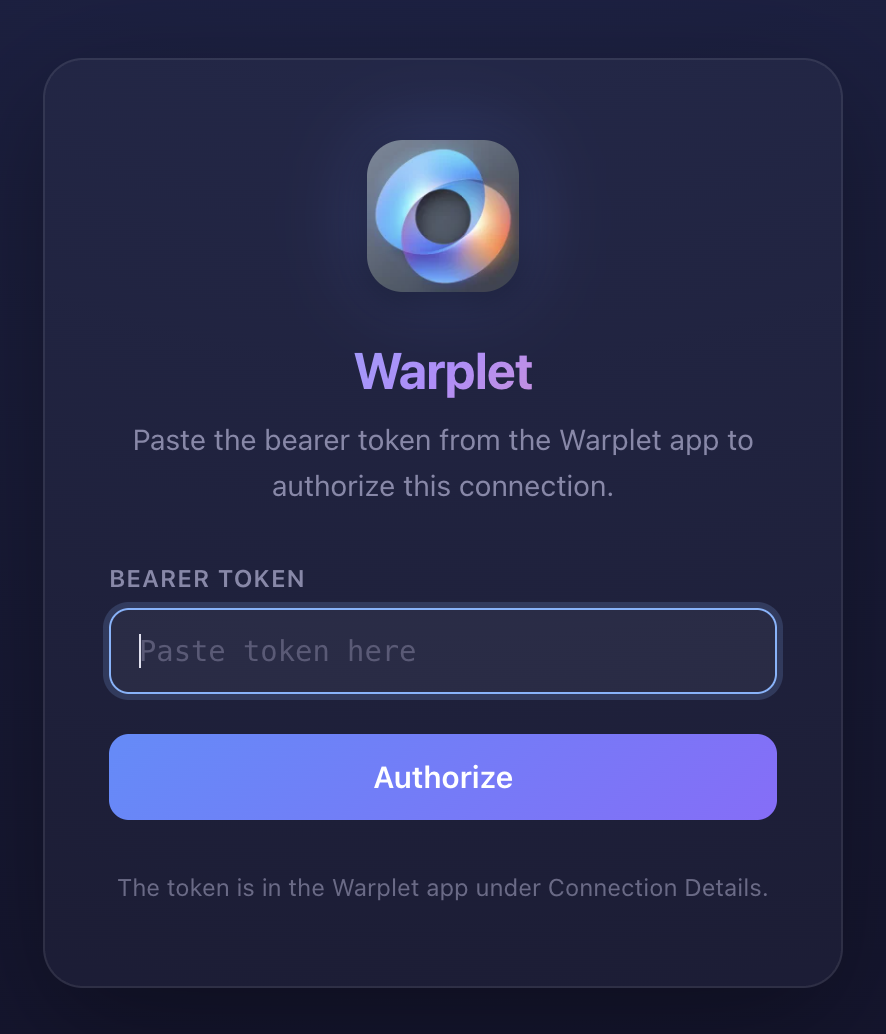
In all cases the flow is the same: paste your Warplet URL, and when the client asks you to authorize, paste the bearer token shown in the Warplet app. Warplet implements standard OAuth 2.1 discovery, so any MCP-compatible client works.
Things to know
- Your Mac needs to be on. Warplet forwards requests to servers running locally, so your Mac must be awake and online for AI clients to reach them.
- Requests are authenticated on your Mac. Unauthenticated requests are rejected with a 401 before they reach any local server.
- Stop anytime. Click Stop in the app and the tunnel closes immediately.